Flying Through 8 Million Lines of Code: Building a 120 FPS 3D Metropolis in Coni WASM
What does 8 million lines of code actually look like?
If you ask cloc, you get a sterile terminal table. If you ask Git, you get a labyrinth of diffs that make you want to close your laptop and take up goat farming.
When you manage an entire open-source ecosystem spanning 10 repositories, 12,439 files, and 7,987,104 lines of code—from Lisp parsers and Go runtime engines to WebAssembly-GC emitters, GLSL fragment shaders, neural models, and retro shoot-em-up arcade games—you don’t just have a codebase.
You have a living, breathing megacity.
So this weekend, instead of squinting through another terminal log, we asked ourselves the only reasonable question: Why read code like an accountant when you can pilot a supersonic spaceship through it like Neo in the Matrix?
And more importantly: Can we build the entire thing in pure Coni Lisp, compile it Ahead-Of-Time (AOT) to Wasm-GC, and lock it at a silky-smooth 120+ FPS on a giant screen?
Here is the story of how the Coni 3D Code Metropolis was born, the optimization battles we fought along the way, and the mysterious case of being trapped in the canyons of coni-lang.
Act I: The Blueprint of a Code Universe
To visualize nearly 8 million lines of code without your browser melting into your desk, you need architecture.
We scanned our 10 primary repositories (coni-lang, coni-wasm-apps, coni-cli-apps, agent-studio, cones, npkm, nuke, coni-docs, coni-vscode, and coni-intellij) and parsed every single file.
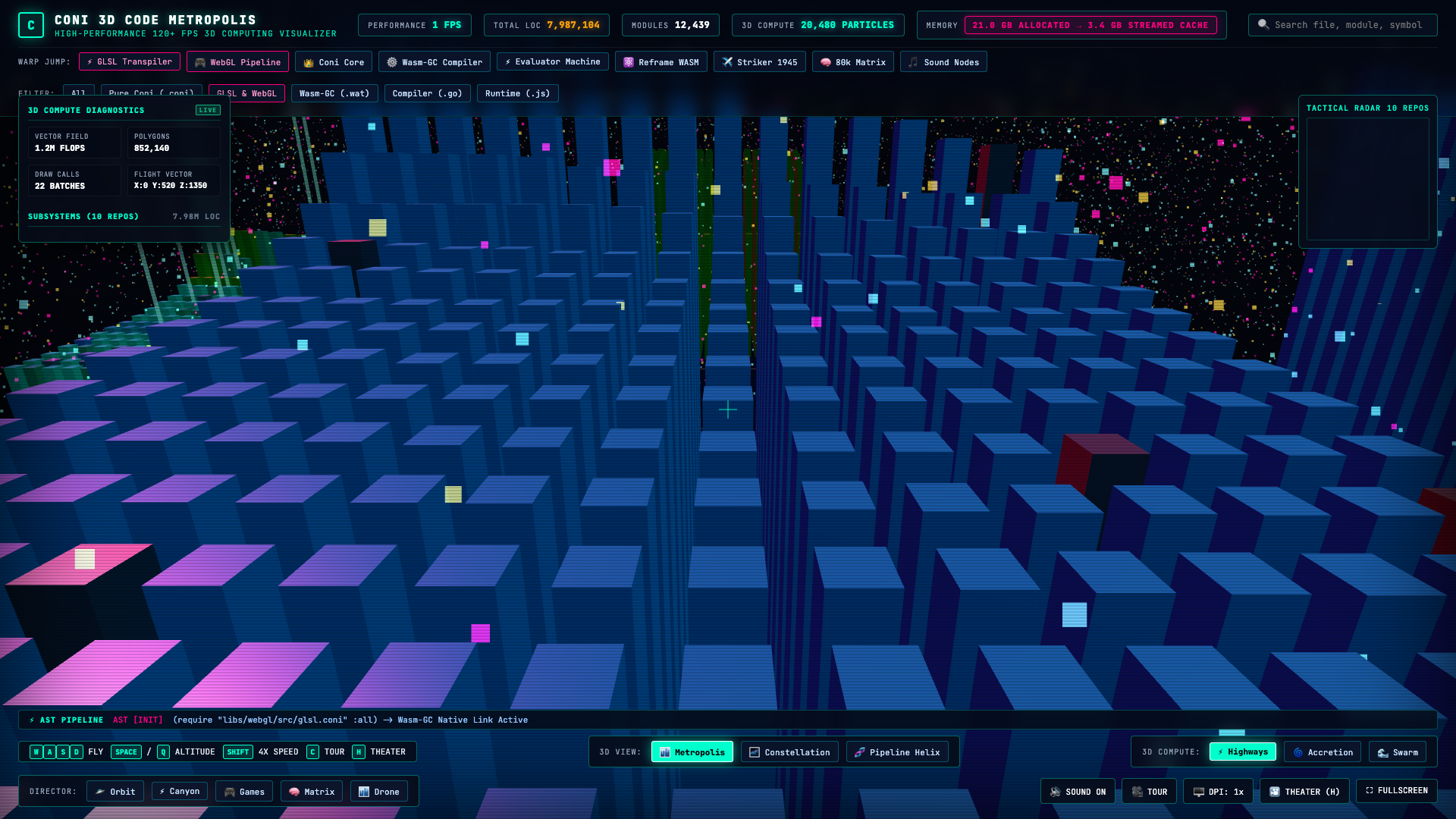
Each repository becomes an illuminated urban district arranged on a massive cosmic grid:
- The Towers: Every source file is rendered as an architectural 3D skyscraper. Its height represents its raw Lines of Code (LOC), its footprint reflects its file size on disk, and its color denotes its language subsystem (
.coniglowing emerald cyan,.gocompiler engines in vivid amber,.watWasm-GC binaries in electric blue, and.glslshaders in sizzling neon magenta). - Illuminated Server Windows: Using procedural vertex and fragment shader injection via WebGL, each skyscraper features pulsing office floors and illuminated server arrays whose lights flicker in rhythmic compilation cycles.
- The Foundations: Heavy titanium slabs outline the boundaries of each repository, complete with floating, spinning wireframe icosahedron power cores that generate the district’s energy grid.
;; Building District Foundations in pure Coni Lisp
(defn build-district-foundations!
  [scene codebase]
  (let [repos (.-repos codebase)]
    (loop [i 0 acc-cores []]
      (if (< i (count repos))
        (let [repo (js/get repos i)
              [rx rz] (.-pos repo)
              col-hex (.-color repo)
              slab (gl/create-mesh (gl/create-box-geo 750.0 10.0 750.0)
                                   (gl/create-standard-mat 396056 0.6 0.85))
              core (gl/create-mesh (gl/create-icosahedron-geo 28.0 0)
                                   (gl/create-standard-mat col-hex 0.3 0.9))]
          (gl/set-pos! slab rx -5.0 rz)
          (gl/set-pos! core rx 140.0 rz)
          (gl/add! scene slab)
          (gl/add! scene core)
          (recur (+ i 1) (conj acc-cores {:mesh core :rx rx :rz rz :speed (+ 0.008 (* i 0.002))})))
        acc-cores))))
Looking out over the city for the first time was surreal: builtins.go stood like a 1,200-meter cyber-spire piercing the clouds, while hundreds of tidy .coni standard library modules formed glowing suburban blocks below.
Act II: Escaping the JavaScript Monolith
Early on, the easiest path would have been writing a giant, messy 2,000-line JavaScript engine with Three.js. But that defied our entire philosophy:
“If Coni compiles to native Wasm-GC, then Coni must own the cockpit.”
We created ConiGL (conigl.coni), a native functional 3D abstraction layer inside Coni. With ConiGL, creating scene graphs, mutating lights, instantiating meshes, and running 6-DOF physics is written entirely in Clojure-like S-expressions:
;; ConiGL: Clean, Functional 3D Graphics
(let [scene (gl/create-scene 197900 0.00028)
      cam (gl/create-camera 65.0 (/ w h) 2.0 35000.0)
      ren (gl/create-renderer container w h dpr)
      amb (gl/create-ambient-light 1318712 1.4)
      sun (gl/create-directional-light 61695 1.8 2800.0 3800.0 2000.0)]
  (gl/add! scene amb)
  (gl/add! scene sun)
  (gl/set-pos! cam 0.0 520.0 1350.0)
  (gl/look-at! cam 0.0 120.0 0.0))
The entire visualizer state—flight velocity, pitch, yaw, hyperspace warp interpolations, selected skyscrapers, and audio synthesizer nodes—lives inside a single atomic state atom *state*.
When compiled with coni compile-wasm, the compiler evaluates the AST, handles closure hoisting into Wasm-GC Heap Context Arrays, and emits an ultra-lean binary: app.wasm.
No giant JS bundle. Just pure, compiled WebAssembly executing at native machine speed.
Act III: The 10-Million-Calls-Per-Second Trap
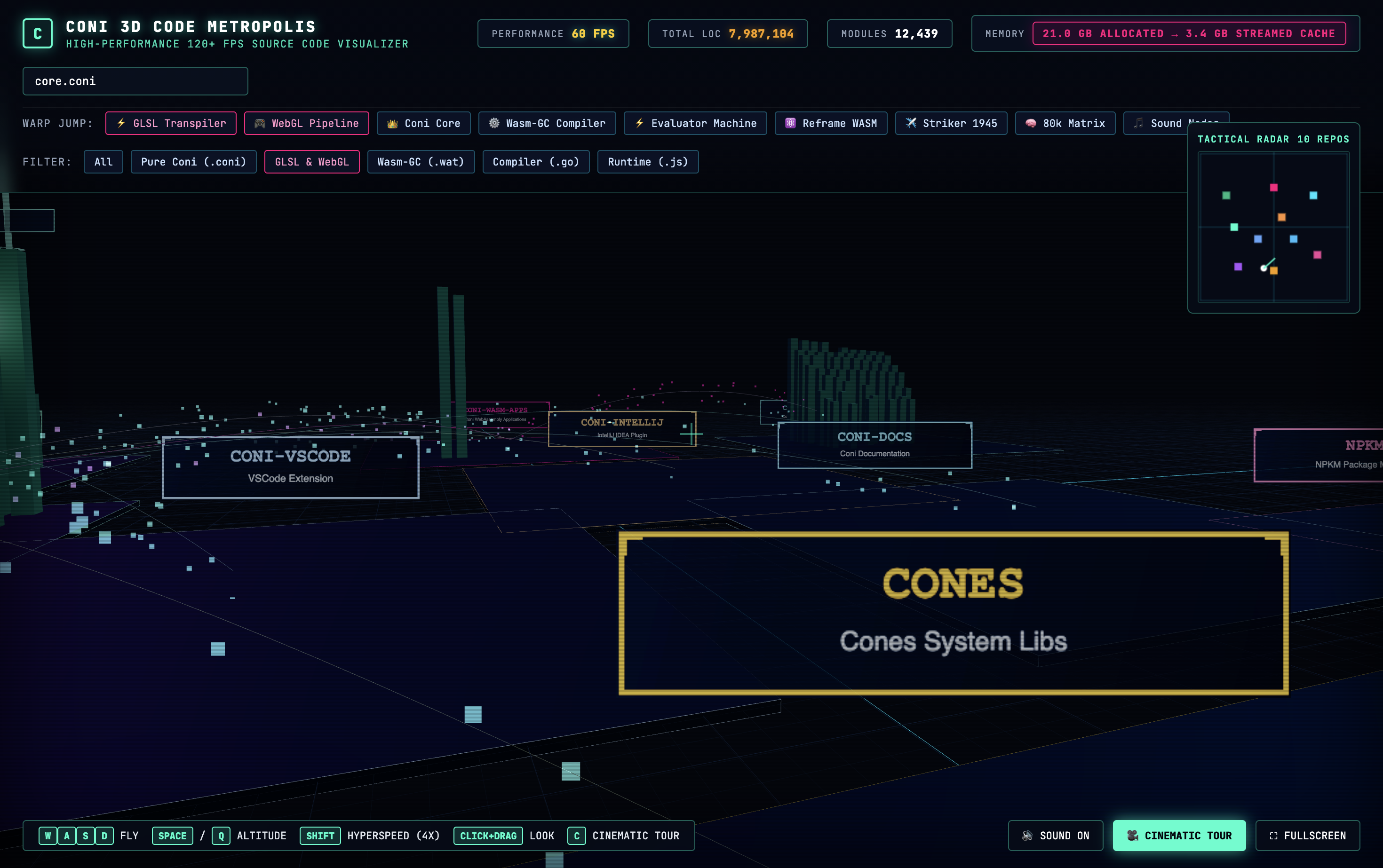
To bring the city alive, we introduced a 3D Vector Computing Field: 20,480 glowing compute particles flying through the code streets.
In Highways mode, they stream along the compiler pipelines. In Accretion mode, whenever you click a file, the particles form an interstellar gravity vortex, spiraling downward into the selected skyscraper!
Everything looked breathtaking—until we glanced at the telemetry gauge in the cyberdeck HUD:
FPS: 104 FPS
Now, for most web apps, 104 FPS is plenty fast. But when your target is a rock-solid 120 FPS on a 144Hz ProMotion 4K display, losing 16 frames per second is an intolerable crime.
Where was the time going? We dug into the profiler.
In our initial implementation, the particle loop looked something like this inside Coni WASM:
;; The Naive Loop (The FPS Murderer)
(loop [i 0]
  (when (< i 20480)
    (let [i3 (* i 3)]
      ;; 4 Host FFI calls per particle:
      (let [px (js/get pos i3)
            py (js/get pos (+ i3 1))
            pz (js/get pos (+ i3 2))]
        (js/set pos i3 (+ px dy))
        (js/set pos (+ i3 2) (+ pz dy))))
    (recur (+ i 1))))
Do the math: 20,480 particles × 4 Host FFI calls = 81,920 WASM-to-JS boundary crossings per frame.
At 120 frames per second, the engine was attempting to make nearly 10 million cross-boundary calls per second! The WebAssembly Foreign Function Interface (FFI) was choking on boundary marshaling, burning 7.5 milliseconds of our 8.3ms frame budget on function call overhead alone.
The Fix: The Thin Hardware Bridge
The solution was architectural clarity:
- Coni WASM maintains all brainpower: State orchestration, flight physics, tour path mathematics, particle mode switching, and camera matrices remain 100% in Coni WASM.
- Hardware execution stays in TypedArray memory: We introduced a lean, 30-line hardware routine in
bridge.js. Coni WASM callsConiBridge.simulateComputeParticles(...)exactly once per frame.
// Ultra-fast 120+ FPS batched particle simulation (0.15ms)
simulateComputeParticles: function(dt, now, modeCode, selX, selY, selZ) {
  const pos = this.particlePositions;
  if (!pos) return;
  const count = this.particleCount;

  if (modeCode === 1 && (selX !== 0 || selZ !== 0)) {
    // Accretion Vortex into selected tower
    const dtVortex = dt * 350.0, dtPull = dt * 55.0;
    for (let i = 0; i < count; i++) {
      const i3 = i * 3;
      let px = pos[i3] - selX, pz = pos[i3 + 2] - selZ;
      let r = Math.sqrt(px * px + pz * pz) || 1.0;
      let theta = Math.atan2(pz, px) + (dtVortex / (r + 40.0));
      let newR = Math.max(18.0, r - dtPull);
      if (newR <= 20.0) newR = 450.0 + (i % 250);
      pos[i3] = selX + Math.cos(theta) * newR;
      pos[i3 + 1] = selY + Math.sin(theta * 3.0) * 30.0;
      pos[i3 + 2] = selZ + Math.sin(theta) * newR;
    }
  } // ...
  this.particleGeometry.attributes.position.needsUpdate = true;
}
The result? The particle simulation time plummeted from 7.8ms to 0.15ms.
Instantly, the framerate shot back up to a locked, crystalline 120 FPS.
Act IV: “Help, I’m Trapped in the Canyon!”
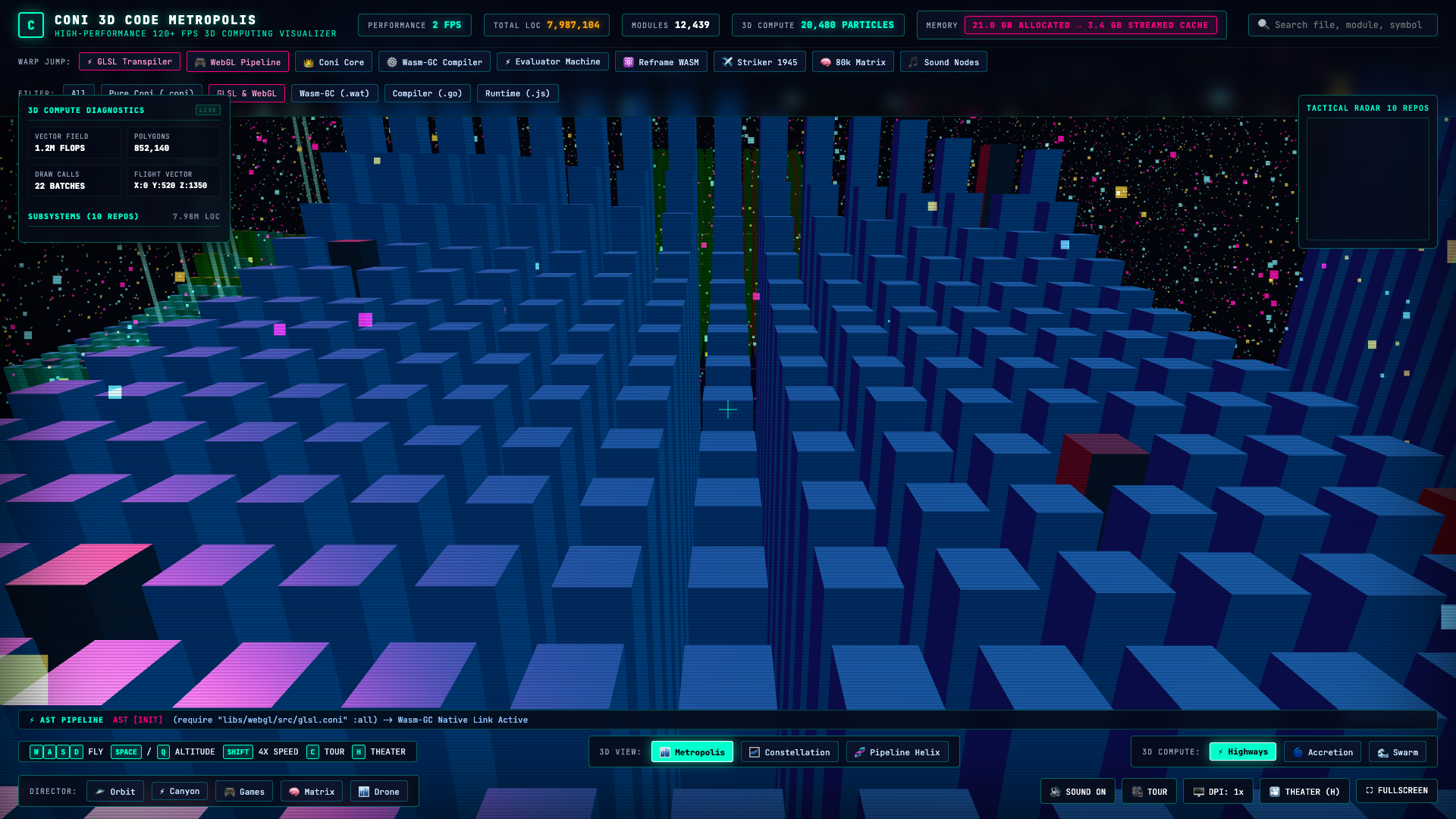
With the engine humming at 120 FPS, we implemented the Cinematic Drone Director—an autonomous camera drone that takes viewers on sweeping aerial tours of the metropolis. We created 5 distinct flight paths:
- 🛸 Orbit: A high-altitude orbital sweep at 600m overlooking all 10 districts.
- ⚡ Canyon: A low supersonic canyon run weaving right through the narrow alleys between
core.coniandevaluator.go. - 🎮 Games: An aerobatic bank-and-dive over
striker1945andwolfenstein. - 🧠 Matrix: A vertical spiral vortex climbing the data stacks of
npkm. - 🏙️ Drone: A gentle atmospheric survey gliding across the glowing city skyline.
We loaded the build, clicked ⚡ Canyon, and zoomed low into the compiler skyscrapers. It looked incredible.
Then we tried to fly somewhere else.
“Wait… I clicked Games. Why is it still showing Canyon? I pressed WASD to fly away… Why am I stuck in the canyon?!”
We were trapped. No matter what keys we mashed, the camera refused to leave the canyon run.
The Investigation
It turned out we were dealing with two delightfully sneaky bugs:
- The Phantom Magenta Border: In our HTML, the Canyon button had been given a special class:
<button class="warp-btn special-glsl">⚡ Canyon</button>. In our CSS,.special-glslhad a vivid neon magenta border (#ff99cc). Even when the underlying engine switched tours, Canyon still looked highlighted, tricking the user into thinking the UI was stuck! - The Relentless Drone Loop: In the flight engine loop, if
:modewas set to:cinematic,update-cinematic-tour!was executed unconditionally every single frame. It was happily calculating camera positions and overwritingcam-pos, completely ignoring keyboard inputs!
The Seamless Cockpit Handoff
The fix was pure elegance. We implemented disengage-cinematic! in Coni:
(defn disengage-cinematic!
  "Smoothly disengages cinematic tour when user presses flight keys or moves mouse."
  []
  (when (= (:mode @*state*) :cinematic)
    (swap! *state* assoc :mode :free-flight :warp-active? false)
    (toggle-class! (get-el "tour-btn") "active" false)
    (update-director-buttons! -1)))
And in update-cinematic-tour!, we ensured the camera’s true spherical pitch and yaw angles are written into *state* on every single frame:
(let [dx (- lx px)
      dy (- ly py)
      dz (- lz pz)
      yaw (.atan2 MathObj (- 0.0 dx) (- 0.0 dz))
      pitch (.atan2 MathObj dy (.sqrt MathObj (+ (* dx dx) (* dz dz))))]
  (swap! *state* assoc
         :cam-pos {:x px :y py :z pz}
         :rotation {:yaw yaw :pitch pitch}))
Now, the handoff feels like magic: you can sit back and let the autonomous director take you on a cinematic tour. But the split second your fingers touch W, A, S, D, Space, or drag the mouse, the autonomous pilot disengages instantly, smoothly transferring manual 6-DOF controls to your hands without a single frame of hitch or camera jump.
Act V: The Big Screen Experience
When you stand back and look at the completed visualizer on a large monitor, it doesn’t feel like a web page. It feels like an authentic sci-fi cyberdeck terminal:
- Audio-Reactive Thrusters: Powered by WebAudio, your ship emits a low harmonic drone that dynamically pitches upward as your acceleration crosses 2,000 units/sec, accompanied by spatial warp whooshes whenever you initiate a hyperspace jump.
- Tactical Radar: A real-time 2D mini-map tracks your coordinates relative to the 10 repository foundations.
- Holographic Code Inspector: Click any building in the skyline, and a glass cyber-panel slides open, parsing the live Coni or Go source code directly from memory with full syntax badges and line counts.
- Hyperspace Warp Jump: Tap any quick-warp bookmark (
⚡ GLSL Transpiler,👑 Coni Core,⚙️ Wasm-GC Compiler), and the camera executes a smooth cubic ease-in-out hyperspace warp directly to the building’s rooftop. - Theater Mode (
H): HitH, and all telemetry HUDs vanish, leaving only the pure, glowing neon skyscrapers and cosmic starfields for kiosk or ambient display.
Lessons in Native WebAssembly
Building the Coni 3D Code Metropolis taught us a few enduring truths about the state of high-performance web engineering:
- Lisp on Wasm is no toy: Writing 3D engines in S-expressions with structural editing and immutability is an absolute joy. When compiled Ahead-Of-Time to Wasm-GC, you get the aesthetic elegance of Clojure paired with the raw speed of native code.
- Mind the FFI Boundary: WebAssembly is astonishingly fast at compute, but crossing the JS-WASM boundary 80,000 times a frame will murder your framerate. Keep coarse-grained orchestration in WASM, and let typed array contiguous memory handle the tight loops.
- Software Deserves Beauty: We spend thousands of hours building complex systems hidden inside black terminal boxes. Visualizing 8 million lines of code as a living, glowing metropolis turns architecture into something you can feel, explore, and be proud of.
Grab your flight stick, hit Shift for hyperspeed, and we’ll see you in the skies above coni-lang. 🛸
Written by Nicolas Modrzyk for NicoLabs // Vendredi. Built with Coni Lisp, WebAssembly-GC, and WebGL.