The Case of the Phantom Megabytes: Developing Film Noir in Pure Lisp
It was late. The kind of late where streetlights reflect off wet asphalt and neon signs hum with an electrical buzz that vibrates straight through your teeth.
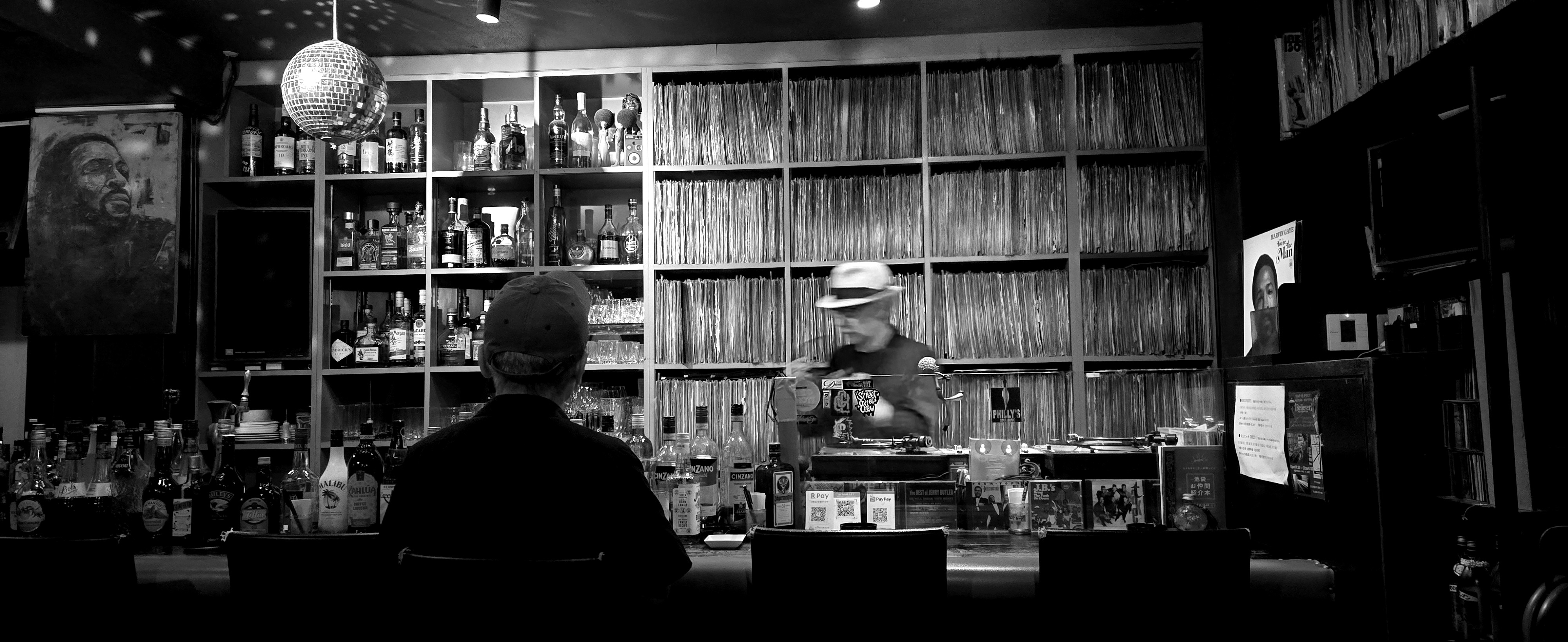
I was sitting in a dimly lit vinyl bar. You know the place: thousands of jazz records lining the walls floor to ceiling in wooden cubbies, amber scotch glowing in lowball glasses, and behind the counter, a bartender sporting a fedora silently cueing up a blue note pressing under the glint of a spinning disco ball.
It was dripping with atmosphere. It didn’t just ask for a photo—it demanded one.
I pulled out my phone, snapped the scene, and transferred the file to my laptop: 20260627_203542.jpg.
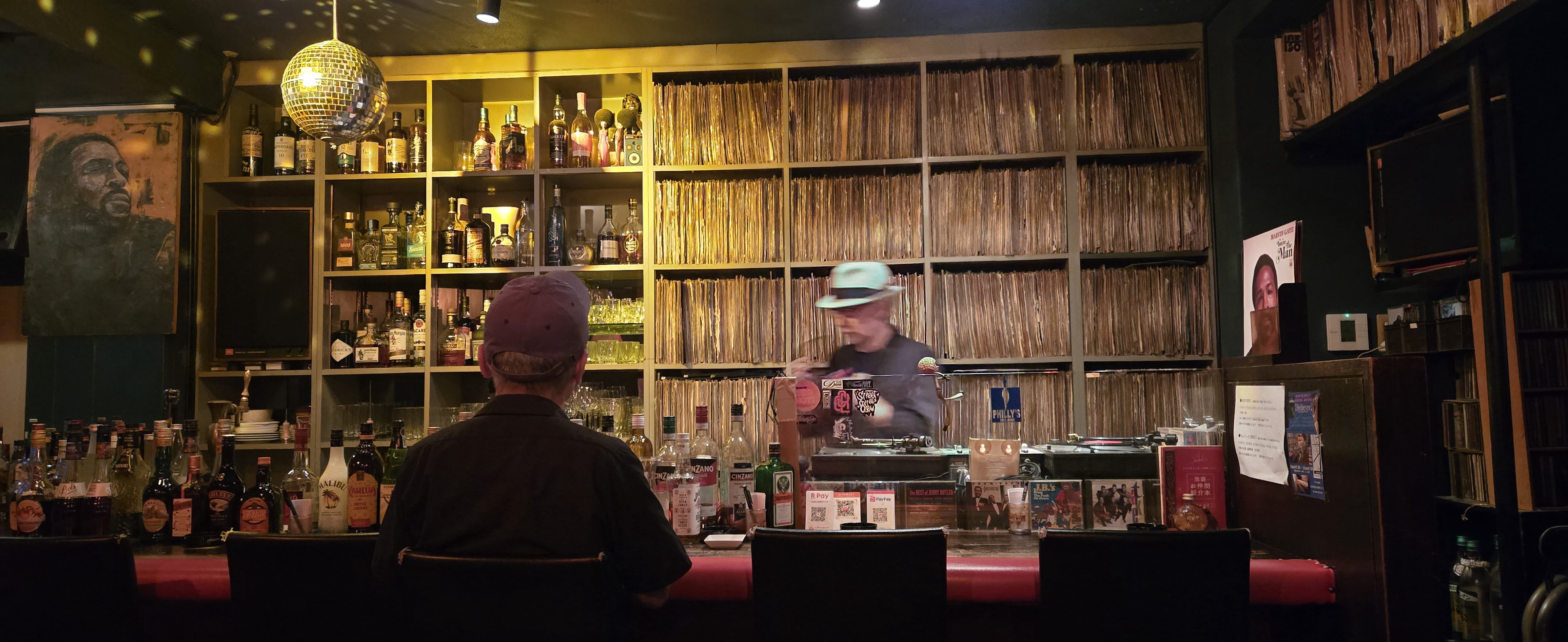
Look at that composition. The hats. The bottles. The vinyl sleeves. The silhouette.
This photo wasn’t meant to live its life in warm modern smartphone sRGB. It was crying out for Film Noir—harsh 1940s German Expressionist chiaroscuro, deep inky shadows, silvery specular highlights on the glassware, and the kind of mood where you expect Humphrey Bogart to slide onto the next stool and mutter about a Maltese Falcon.
Naturally, as any reasonable developer would do, I didn’t open Lightroom, Photoshop, or an Instagram filter app.
I opened Coni, our custom Lisp interpreter.
Act I: Film Noir in Three Lines of Lisp
A lot of developers think of Lisp as an academic language for recursion exercises, artificial intelligence papers from 1982, and parenthesis jokes.
In Coni, we have a built-in image processing library (libs/image) backed directly by Go runtime primitives and 3x4 affine color transformation matrices executing in native Go loops.
To transform an image, you don’t need a 4-gigabyte Adobe Creative Cloud daemon running in your menu bar. You just load the image, apply a matrix, and save:
(require "libs/image/src/image.coni" :as image)

(def img (image/load "/Users/nico/Downloads/20260627_203542.jpg"))
(def noir (image/filter-noir-contrast img))
(image/save noir "jpg" "output/noir.jpg")
The execution was blindingly fast.
The image was 4,000 × 1,638 pixels—that’s 6,552,000 individual 32-bit ARGB pixels. Coni ingested the JPEG, decomposed the 6.55 million pixels into memory, multiplied them across a custom affine contrast-expansion luminance matrix, and encoded the output back to disk in under 250 milliseconds.
And the visual result was pure vintage cinema:
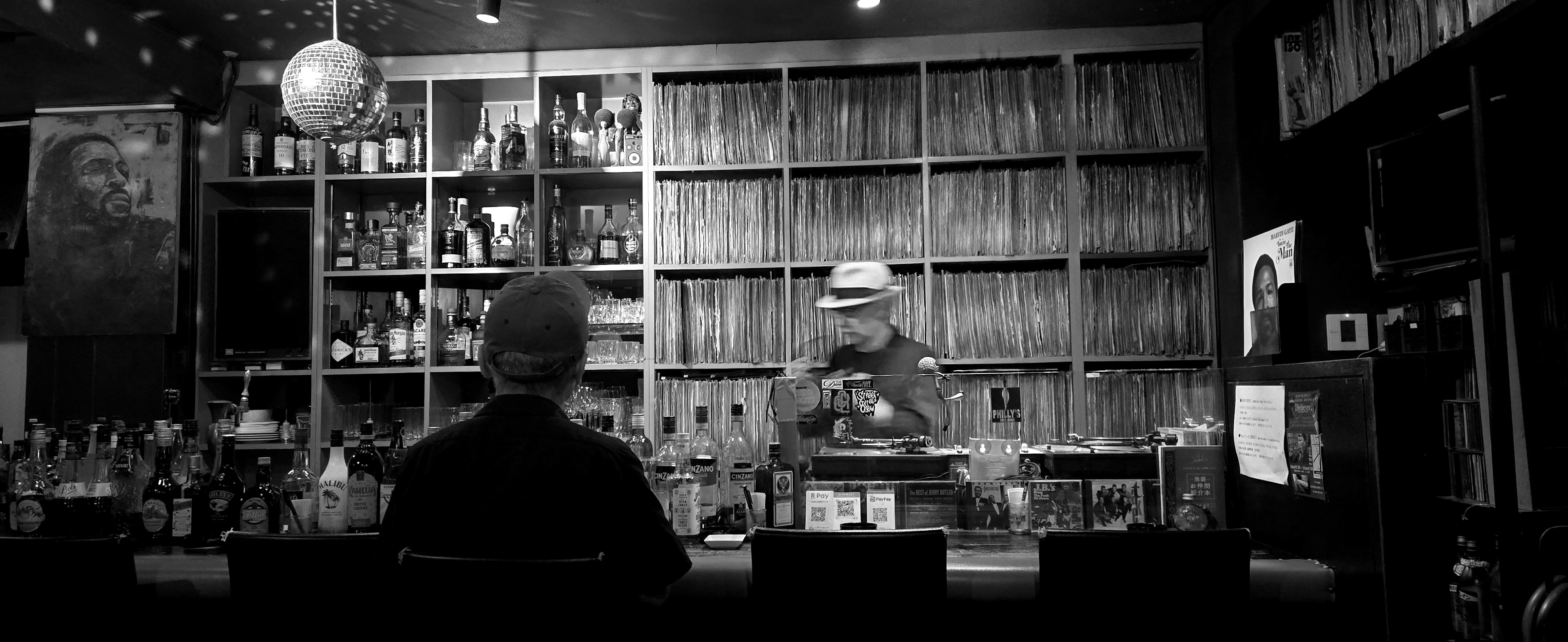
The crushed blacks beneath the bar! The spotlight gleaming on the fedora! The reflections dancing across the rows of spirits and the facet grid of the disco ball! It looked like a still from a 35mm print of The Third Man.
I was feeling pretty smug. Until I opened the terminal and typed ls -lh.
Act II: The Mystery of the Missing Megabytes
Here is what the terminal reported:
-rw-r--r--  1 nico  staff   5.3M Oct 12 14:44 20260627_203542.jpg
-rw-r--r--  1 nico  staff   1.2M Oct 12 15:27 20260627_203542_noir.jpg
Wait. Hold on.
The original file was 5.3 Megabytes (5,553,305 bytes).
Our filtered noir file was 1.2 Megabytes.
A cold sweat broke out. Where did the 4.1 megabytes go?
Did our Lisp interpreter just quietly guillotine our resolution? Did the JPEG encoder secretly downsample our 6.5-megapixel masterpiece into a blurry potato? Did Coni decide that Film Noir meant “fewer bytes because darkness is empty”?
Every photographer knows this gut punch: you export a photo, see the file size shrank by 75%, and assume you just ruined the picture with horrific compression artifacts.
It was time to play detective.
Act III: The Forensic Autopsy
We opened a scratch terminal and inspected the byte stream of the original 20260627_203542.jpg.
First clue: we verified the pixel dimensions.
- Original:
4000 x 1638 - Coni Output:
4000 x 1638
Resolution was identical. Not a single pixel had been dropped.
Second clue: we inspected the raw binary headers for embedded containers:
with open("20260627_203542.jpg", "rb") as f:
    data = f.read()

print("Total file size:", len(data))
print("Found MP4 'ftyp' box at:", data.find(b"ftyp"))
And there it was. Smoking gun.
Total file size: 5553305
Found ftyp (video/motion photo) at: 2205833
The original file was a Samsung Galaxy Motion Photo!
Starting at byte offset 2,205,833—exactly 2.1 megabytes into the file—the JPEG image ended, and a 3.35-megabyte MP4 video clip began!
Samsung’s camera had secretly glued a 3-second HD video trailer onto the back of the JPEG file so you could see the bartender nod his head when you long-press the screen in the gallery app.
When Coni’s image loader read the file, it politely decoded the JPEG still frame and ignored the unauthorized Hollywood motion picture stapled to its rear bumper.
So the actual image wasn’t 5.3 MB at all. It was 2.1 MB.
Act IV: The Physics of Monochromatic Entropy
That explained 3.35 megabytes of the difference. But why did the remaining 2.1 MB still shrink down to 1.2 MB?
This comes down to how JPEG compression actually works under the hood.
JPEG doesn’t store Red, Green, and Blue. It converts the image into YCbCr color space:
- $Y$: Luminance (the brightness detail our eyes care most about)
- $C_b$: Blue-difference chroma
- $C_r$: Red-difference chroma
In a colorful bar filled with warm amber bottles, red neon, green labels, and blue wallpaper, the $C_b$ and $C_r$ channels are buzzing with high-frequency color variations that require thousands of discrete cosine transform (DCT) coefficients to encode.
When you apply a Film Noir filter, you equalize the RGB channels into pure grayscale.
In YCbCr terms, $C_b$ and $C_r$ become flat, uniform zero planes.
The JPEG entropy encoder looks at two-thirds of the image data, realizes there is zero color variance to store, and compresses them down to almost nothing. You aren’t losing image quality—you are simply exploiting the mathematical beauty of colorlessness.
Act V: But What If We Want Ludicrous Quality?
Even so, we looked at Coni’s Go source code in evaluator/image_builtins.go:
case "jpeg", "jpg":
    err = jpeg.Encode(file, outImg, &jpeg.Options{Quality: 90})
Quality 90. A sensible, polite default for web apps.
Unacceptable for cinematic noir.
We immediately patched the Coni runtime so that image-save (and the Lisp (image/save img fmt path [quality]) function) accepts an optional quality integer from 1 to 100, while raising the default to 95:
quality := 95
if len(args) == 4 {
    if q, ok := args[3].(*ast.Integer); ok {
        quality = int(q.Value)
    }
}
// ...
case "jpeg", "jpg":
    err = jpeg.Encode(file, outImg, &jpeg.Options{Quality: quality})
Now we could unleash the full power of our Lisp pipeline:
;; Maximum JPEG Quality (Quality: 100)
(image/save noir-img "jpg" "output/noir_q100.jpg" 100)

;; Or 100% mathematically lossless PNG
(image/save noir-img "png" "output/noir_lossless.png")
The resulting file sizes tell the whole story:
| Format / Preset | Size | What’s Actually Happening |
|---|---|---|
| Original Galaxy Photo | 5.3 MB |
2.1 MB JPEG + 3.35 MB hidden MP4 motion video |
| Coni Standard JPEG (Q90) | 1.2 MB |
High quality, discarded video, neutral chroma |
| Coni High Quality (Q98) | 2.3 MB |
Near-lossless quantization tables |
| Coni Maximum JPEG (Q100) | 2.8 MB |
Uncompressed DCT tables (higher fidelity than Samsung’s camera engine!) |
| Coni Lossless PNG | 4.0 MB |
100% bit-for-bit lossless raster, zero compression artifacts |
Act VI: The Film Noir Palette
Once you have a high-speed matrix engine in Lisp, you don’t stop at one black-and-white preset. Different stories demand different film stocks.
We designed and added three new native filter primitives to libs/image/src/image.coni:
1. Silver Gelatin Print (filter-noir-silver)
Classic silver-gelatin photographic prints had a cool, metallic brightness in their highlights and deep, velvety midtones. We push the blue and green channels slightly forward with negative luminance offsets:
(defn filter-noir-silver [img]
  (apply-color-matrix img [[0.37 0.68 0.14 -20.0]
                           [0.36 0.67 0.13 -20.0]
                           [0.38 0.70 0.15 -16.0]]))
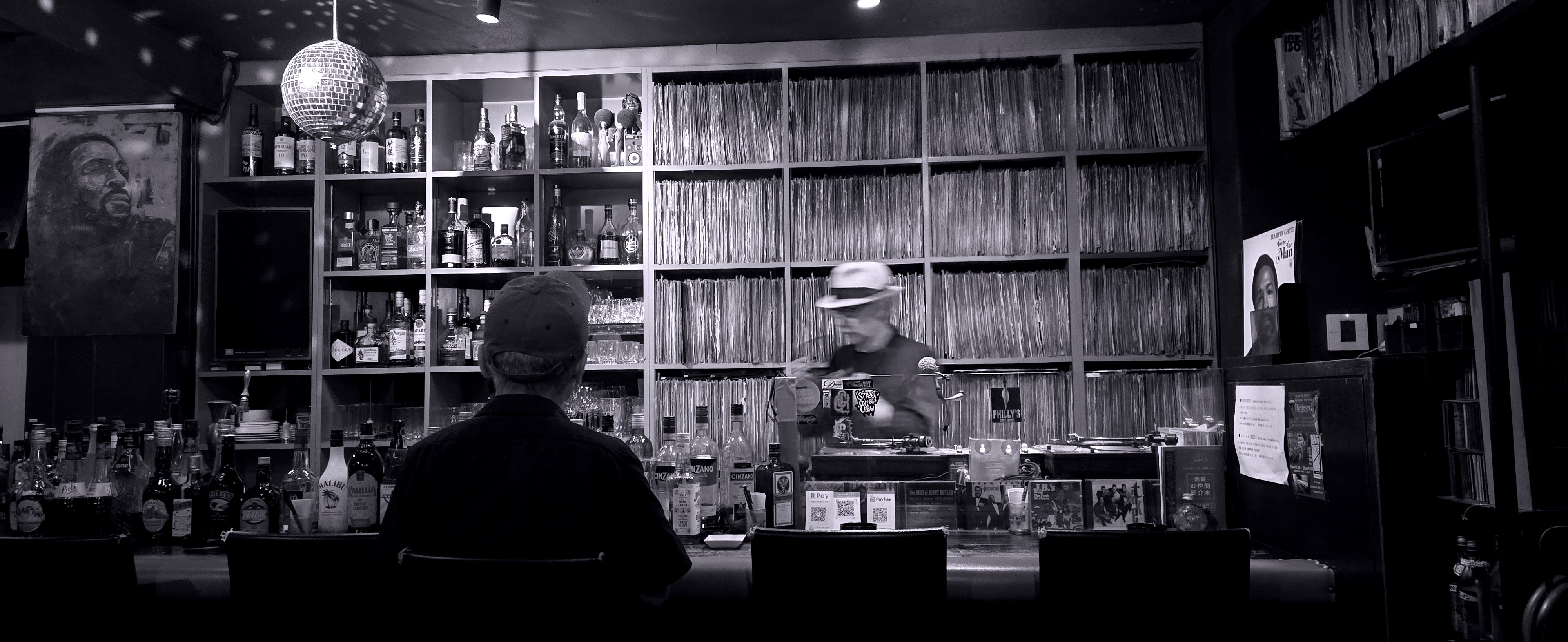
2. Warm Selenium Tone (filter-noir-selenium)
In traditional darkrooms, photographers bathed silver prints in selenium toner to protect the emulsion and introduce a subtle, luxurious chocolate-warm hue to the midtones:
(defn filter-noir-selenium [img]
  (apply-color-matrix img [[0.39 0.69 0.13 -18.0]
                           [0.36 0.67 0.13 -22.0]
                           [0.34 0.65 0.13 -25.0]]))
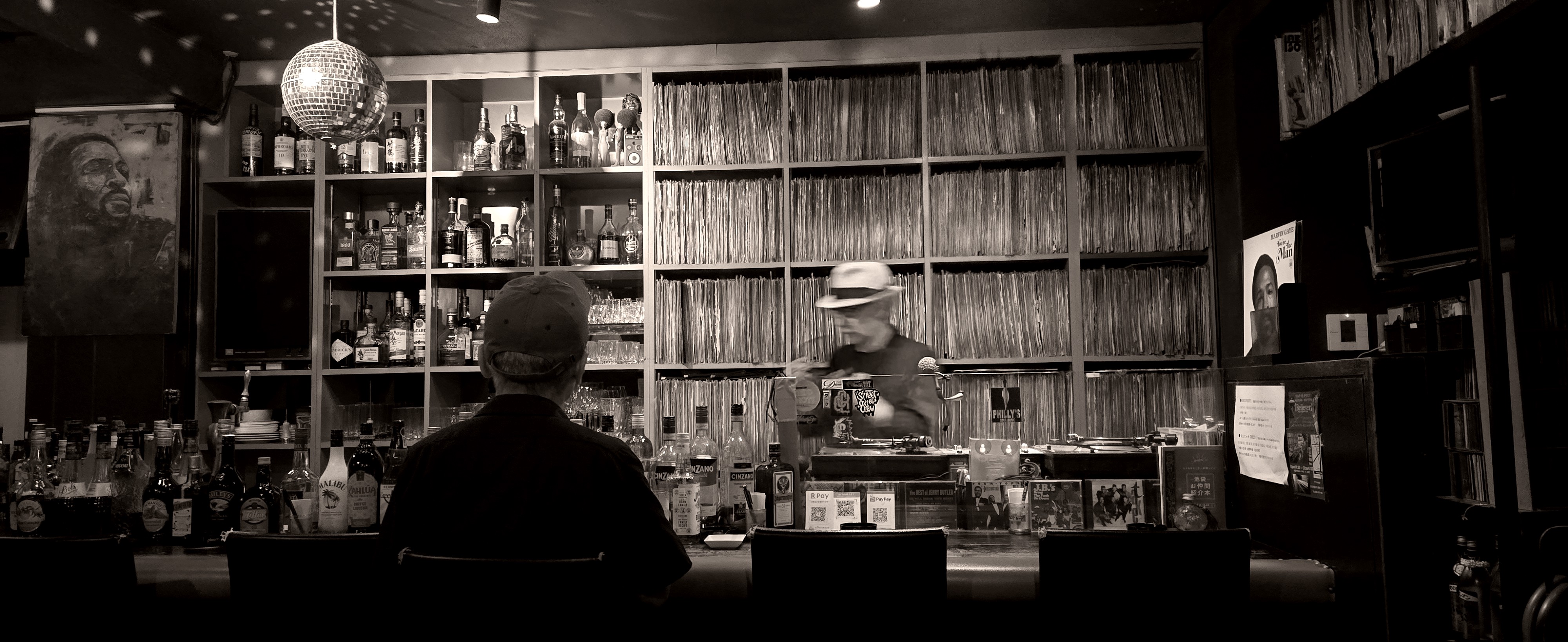
3. Hard-Boiled Chiaroscuro (filter-noir-hardboiled)
Pure Sin City graphic novel aesthetic. We brutally punish the shadow floor (-32.0) while ramping up the luminance slope (0.74), clipping the disco ball to blinding specular white and plunging the under-bar shelves into pitch black:
(defn filter-noir-hardboiled [img]
  (apply-color-matrix img [[0.42 0.74 0.14 -32.0]
                           [0.42 0.74 0.14 -32.0]
                           [0.42 0.74 0.14 -32.0]]))
Running the Suite
All of this is now committed directly to the Coni repository. You can run the entire suite over any photograph with a single command:
./coni libs/image/examples/film_noir_example.coni path/to/your/photo.jpg
==================================================
      Coni Film Noir Processing Suite
==================================================
Input image : /Users/nico/Downloads/20260627_203542.jpg
Output dir  : output/film_noir

Loading image into memory...
Loaded: 4000x1638 (6552000 pixels) in 233ms

[1/8] Classic Noir (image/filter-noir) -> output/film_noir/01_noir_classic.jpg (251ms)
[2/8] High-Contrast Noir (image/filter-noir-contrast) -> output/film_noir/02_noir_contrast.jpg (262ms)
[3/8] Silver Gelatin Noir (image/filter-noir-silver) -> output/film_noir/03_noir_silver.jpg (258ms)
[4/8] Selenium Toned Noir (image/filter-noir-selenium) -> output/film_noir/04_noir_selenium.jpg (281ms)
[5/8] Hard-Boiled Noir (image/filter-noir-hardboiled) -> output/film_noir/05_noir_hardboiled.jpg (243ms)
[6/8] Vintage Faded Noir (image/filter-noir-faded) -> output/film_noir/06_noir_faded.jpg (275ms)
[7/8] High-Contrast Noir (Quality: 100 JPEG) -> output/film_noir/07_noir_contrast_q100.jpg (260ms)
[8/8] High-Contrast Noir (Lossless PNG) -> output/film_noir/08_noir_contrast_lossless.png (750ms)

All Film Noir filters generated successfully!
Output directory: output/film_noir
Eight variations. Full 6.55-megapixel resolution. Under three seconds total.
No electron apps. No monthly subscriptions. Just pure, functional Lisp, a 3x4 matrix, and a shot of scotch.