Building a Multi-City Flight Search App in WebAssembly with Coni and re-frame
The Coni WASM Revolution
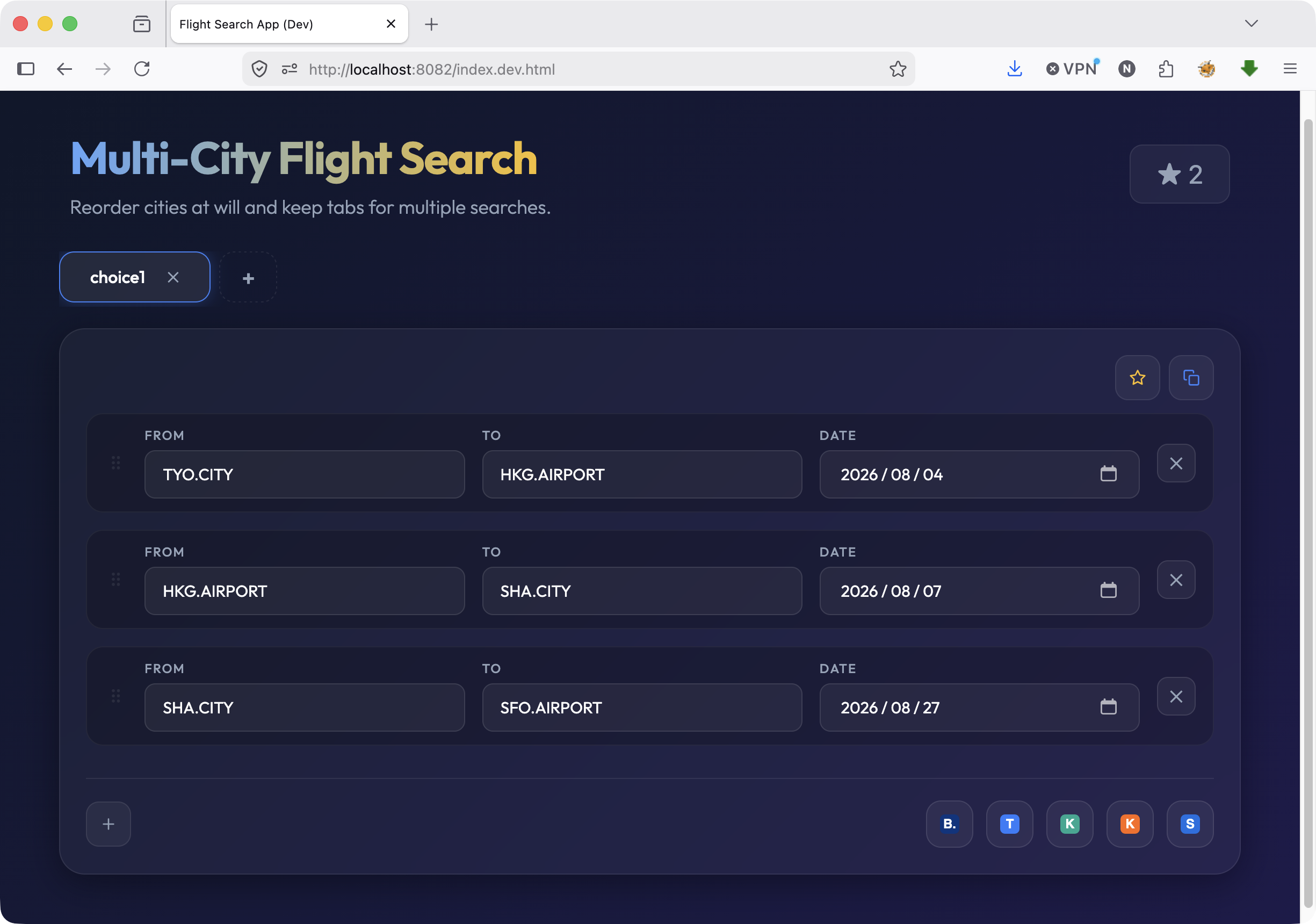
One of the most exciting aspects of the Coni language is its seamless compilation to WebAssembly (WASM). To put this capability to the ultimate test, I recently built a Multi-City Flight Search App entirely in Coni.
Instead of writing vanilla JavaScript or pulling in massive NPM frameworks, this app uses a custom, lightweight port of the famous re-frame state management pattern—written purely in Coni!
Why re-frame in Coni?
If you’re familiar with ClojureScript, you already know the elegance of re-frame. It provides a unidirectional data flow and highly predictable state management. Bringing this pattern to Coni means we can write UI applications using:
reg-event-dbfor updating state seamlessly.reg-subfor reactive data subscriptions.- Purely functional view rendering via Hiccup-style syntax.
;; A snippet from the Flight Search App in app.coni
(require "libs/reframe/src/reframe_wasm.coni" :as rf)

(rf/reg-event-db :init
  (fn [_ _]
    {:tabs [{:id "default" :name "Trip 1" :flights [{:id "1" :from "" :to "" :date ""}]}]
     :active-tab "default"
     :saved-searches []
     :show-saved false}))

(rf/reg-sub :tabs (fn [db _] (:tabs db)))
The Flight Search App Features
The application is a full-fledged multi-city flight search tool that helps users organize complex itineraries. It includes:
- Tabbed Itineraries: Keep multiple trips organized in separate tabs.
- Dynamic Flights: Add, remove, and drag-and-drop to reorder flights within a trip effortlessly.
- Saved Searches: Persist your favorite routes to local storage (
reg-event-db-persist). - Direct OTA Integrations: Generates booking links directly for Kayak, Skyscanner, and Booking.com with a single click.
Deep Dive: Dynamic OTA Link Generation
One of the coolest features of the app is how it parses the current UI state and builds massive, multi-city redirect URLs for Online Travel Agencies (OTAs). Coni handles the complex string manipulation natively inside WASM before firing off the browser redirect.
For example, when searching on Booking.com, the app maps over all active flight segments, resolves the IATA codes to countries and city names via a local database, and builds a massive URI component string:
(reg-event-db-persist :search-flights
  (fn [db [_ tab-id provider]]
    (let [tab (first (filter (fn [t] (= (str (:id t)) (str tab-id))) (:tabs db)))]
      (when tab
        (let [flights (:flights tab)
              ;; Resolve all data for Booking.com payload
              froms (into [] (map :from flights))
              tos (into [] (map :to flights))
              dates (into [] (map :date flights))
              from-countries (into [] (map #(get-country-by-code %) froms))
              to-countries (into [] (map #(get-country-by-code %) tos))

              ;; Build the complex payload
              from-str (str/join "%7C" froms)
              to-str (str/join "%7C" tos)
              dates-str (str/join "%7C" dates)]
          ;; ...
          (js/set (js/global "window" "location") "href" built-url))))))
This ensures the logic remains cleanly separated from the view, adhering strictly to the re-frame philosophy.
Beautiful Hiccup-style Views
Coni’s UI rendering borrows heavily from Clojure’s Hiccup. The DOM is represented purely as nested data structures (vectors and maps). This makes building complex UIs like flight segment cards a breeze:
[:div {:class "flight-segment" :draggable "true"}
  [:div {:class "drag-handle"} "⠿"]
  [:div {:class "flight-inputs"}
    [:div {:class "input-group"}
      [:label {} "From"]
      [:input {:value (:from flight)}]]
    [:div {:class "input-group"}
      [:label {} "To"]
      [:input {:value (:to flight)}]]]]
When coupled with modern 2026 styling—glassmorphism, deep dark mode gradients, and soft neon accents—the UI looks incredibly premium.
Compiled to Native WASM
Because it’s written in Coni, the entire application is compiled down to app.wasm.
The interaction between the DOM and the WASM runtime is handled beautifully. Coni interacts with JavaScript primitives (js/global "document", js/global "window") while keeping the heavy lifting, state resolution, and UI event looping safely inside the WebAssembly sandbox.
The result? Near-instant load times, minimal footprint, and an incredibly fast UI without the bloat of traditional JavaScript frameworks. Coni proves that you can have the elegance of Lisp-like state management running bare-metal in the browser.